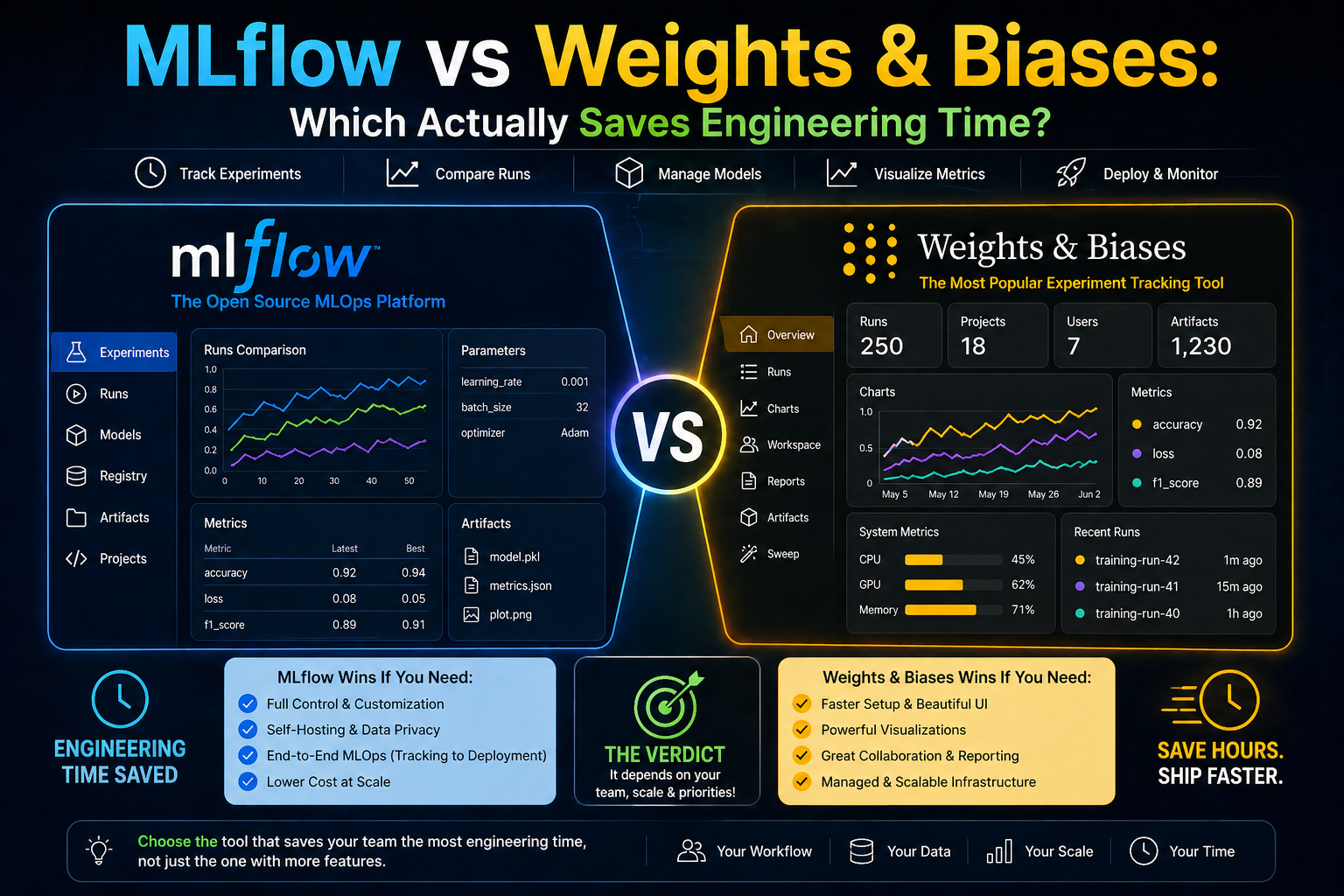
MLflow vs Weights & Biases: Which Actually Saves Engineering Time? (2026)
⏱️ 10 min read
👤 Ayub Shah
MLflow vs Weights and Biases verdict: MLflow wins for budget-conscious teams and Databricks users. Weights & Biases wins for teams where collaboration and speed matter more than cost. If your team spends hours hunting for experiment results, W&B pays for itself.
of ML projects never reach production
W&B first run
per user/month for premium tools
Looking for an honest MLflow vs Weights and Biases comparison? This MLflow vs Weights and Biases guide breaks down experiment tracking, cost, ease of use, team collaboration, and productivity — so you know which tool actually saves your team engineering time in 2026.
This MLflow vs Weights and Biases comparison is based on real hands-on testing. Both tools track experiments, but they make fundamentally different tradeoffs between control, cost, and convenience.
01 — The Tools — Side by Side
In this MLflow vs Weights and Biases comparison, we start by looking at each tool’s core philosophy. MLflow is open source, self-hostable, and gives you full control. Weights and Biases is a cloud-native SaaS that prioritizes ease of use and collaboration.
MLflow
Open Source
Self-hostable
Tracks experiments, packages code, serves models. Does everything adequately — no frills, no fuss.
- ✅ Free — pay only for your own infrastructure
- ✅ Self-hostable — full data control, stays on-prem
- ⚠️ Setup friction is real — tracking server config will burn a morning
- ⚠️ UI is functional, not fast — filtering 500 runs feels like work
Weights & Biases
SaaS
Cloud-hosted
Purpose-built for ML teams. Logging, sweeps, reports, collaboration — all polished and production-ready.
- ✅ First run in ~5 minutes — no server to configure
- ⚠️ Free tier caps hit faster than most teams expect
- ✅ Sweep UI is exceptional — hyperparameter search becomes visual
- ⚠️ Pricing stings at scale — $50/user/month adds up
02 — The Real Difference in Code
Both tools log your training runs. The gap in this MLflow vs Weights and Biases comparison is what you get for the same four lines of logging code:
mlflow_training.py
|
1 2 3 4 5 6 7 8 |
import mlflow mlflow.start_run() mlflow.log_metric("loss", loss) mlflow.log_param("lr", 0.001) mlflow.end_run() # Result: a row in a table |
wandb_training.py
|
1 2 3 4 5 6 7 |
import wandb wandb.init(project="my-model") wandb.log({"loss": loss}) # lr, system metrics, GPU usage auto-logged # Result: interactive dashboard + shareable link |
💡 Key Insight: W&B auto-captures system metrics (GPU, CPU, memory), generates a shareable link, and renders loss curves live. MLflow gives you a number in a table. Control vs convenience.
03 — Head-to-Head MLflow vs Weights and Biases Comparison
| Dimension | MLflow | Weights & Biases |
|---|---|---|
| Time to first logged run | 30–60 min (server setup) | ~5 min |
| Cost at 5 users | $0 + infra (~$30–80/mo) | $250/month |
| Filtering 500+ runs | Slow, limited | Fast, visual |
| Hyperparameter sweeps | Manual setup | Built-in, visual UI |
| Team collaboration | Not built-in | Reports, sharing, comments |
| Data stays on-prem | Yes (self-hosted) | Enterprise only |
| Databricks integration | Native | Available, not native |
| Model registry | Mature, battle-tested | Good but newer |
04 — Pricing — The Honest Version
In the MLflow vs Weights and Biases pricing comparison, MLflow is always free. W&B charges $50/user/month. The real question is whether that cost is worth the time saved.
MLflow — $0 always
Open source. Infrastructure costs vary: a small EC2 instance for a team of 5 runs ~$30–80/month. You own the ops burden.
W&B — $50/user/month
Free tier exists but caps hit fast. Enterprise pricing is custom. You pay for convenience.
💰 The Real Question: Is $250/month for 5 ML engineers worth saving 5+ hours/month of “which run had those numbers?” time? For most teams, yes.
05 — Who Should Pick What
06 — The Verdict: MLflow vs Weights and Biases
07 — Frequently Asked Questions
Is MLflow better than Weights and Biases?
MLflow is better for budget-conscious teams and Databricks users. Weights & Biases is better for teams where collaboration and speed matter more than cost.
Which is easier to set up: MLflow or W&B?
Weights & Biases is easier. First run takes ~5 minutes with no server setup. MLflow requires configuring a tracking server first.
Is Weights & Biases worth the cost?
For teams of 3+ people, usually yes. If your team spends hours hunting for experiment results, W&B pays for itself quickly.
Can I use MLflow and Weights & Biases together?
Yes. Many teams use MLflow for model registry and W&B for experiment tracking during active research.
📚 Related Reading: MLflow vs ClearML • 7 Best W&B Alternatives
📖 External resources: MLflow Documentation • Weights & Biases
#WeightsAndBiases
#MLflowVsWeightsAndBiases
#ExperimentTracking
#MLOps